How to reduce ClickHouse storage costs
ClickHouse storage bills rarely explode overnight — they creep up from data nobody is reading: tables abandoned months ago, raw events that should have aged into a colder tier, and columns compressing far below their potential. Here is how to find the reclaimable bytes, in order of impact.
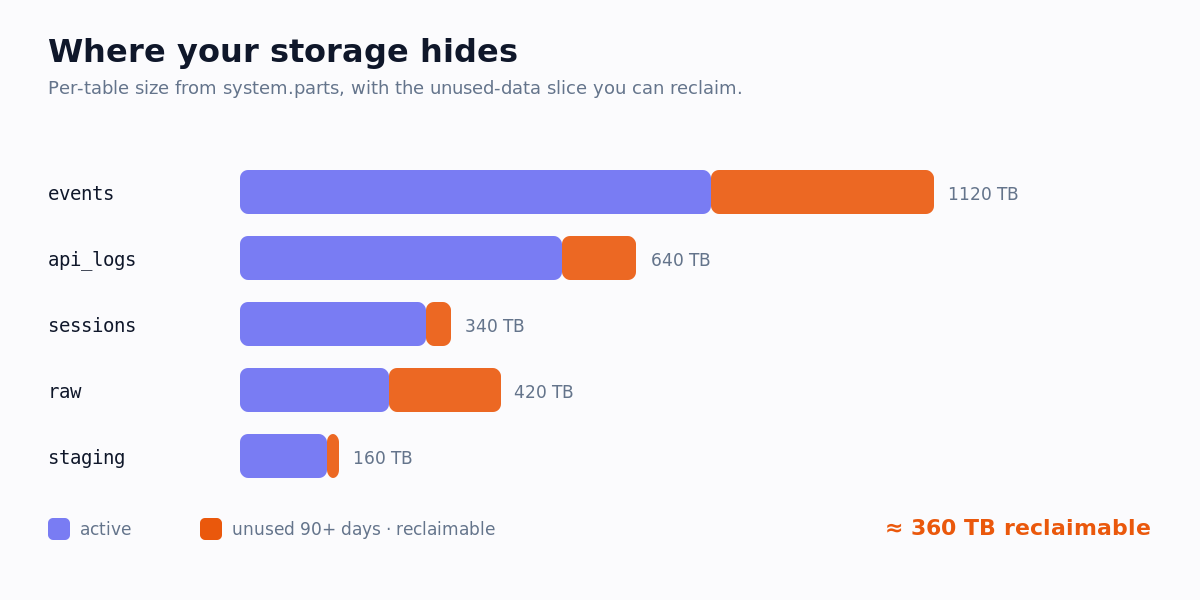
1. Find your biggest tables
system.parts holds the on-disk size of every active part. Aggregate it per table to see exactly where your bytes live.
SELECT database, table,
       formatReadableSize(sum(bytes_on_disk)) AS size,
       sum(rows) AS rows, count() AS parts
FROM system.parts
WHERE active
GROUP BY database, table
ORDER BY sum(bytes_on_disk) DESC
LIMIT 20;
2. Drop tables nobody reads
A large table is only waste if no one queries it. Cross-reference the table list against the tables touched in query_log over the last 90 days — anything large that never appears is a drop or archive candidate.
system.part_log that no new parts are arriving before you drop anything.3. Tier cold data with TTL
You rarely need to delete data — you need to stop paying hot-disk prices for it. A TTL TO VOLUME rule moves old partitions to cheaper object storage automatically while keeping them queryable.
ALTER TABLE events
MODIFY TTL ts + INTERVAL 90 DAY TO VOLUME 'cold';
4. Fix poorly-compressed columns
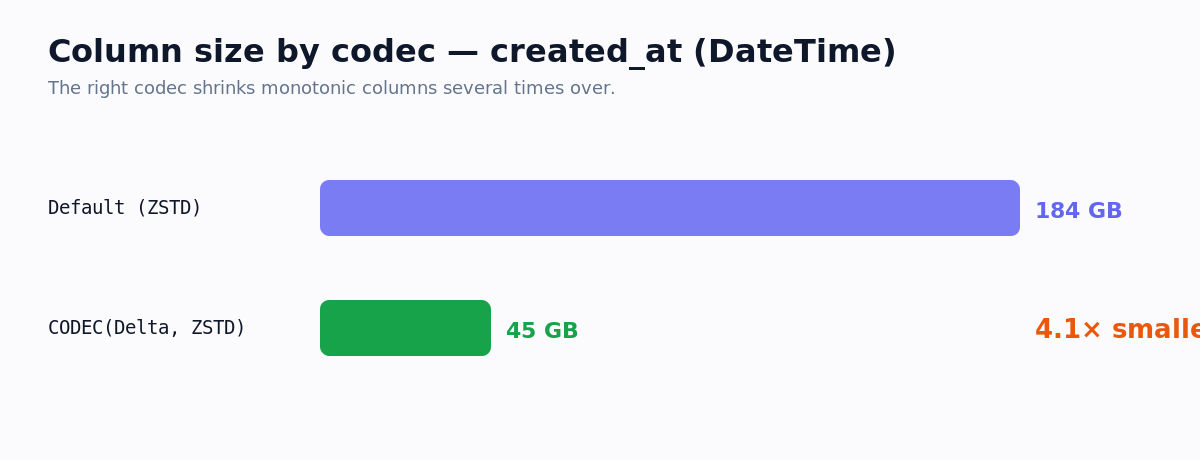
Numeric and timestamp columns often compress 2–5× better with the right codec. Check the compression ratio per column in system.columns, then apply a codec like Delta, ZSTD for monotonic columns or Gorilla, ZSTD for float metrics.
Automate it with OptiHouse
Doing this by hand once is fine; keeping it clean as your cluster grows is the hard part. OptiHouse connects read-only, runs all of the above on every scan, and converts reclaimable bytes into a real monthly dollar figure using your own storage pricing — no agents, no code changes. Try the free optimizer or start a 14-day trial.